
Mail Setup Wizard
With the Fibernetics Mail Setup Wizard, staying connected across all your devices won’t be complicated. Use this setup tool to easily configure your Worldline email on your mobile devices, desktop clients, and tablets.
How it works
Step 1
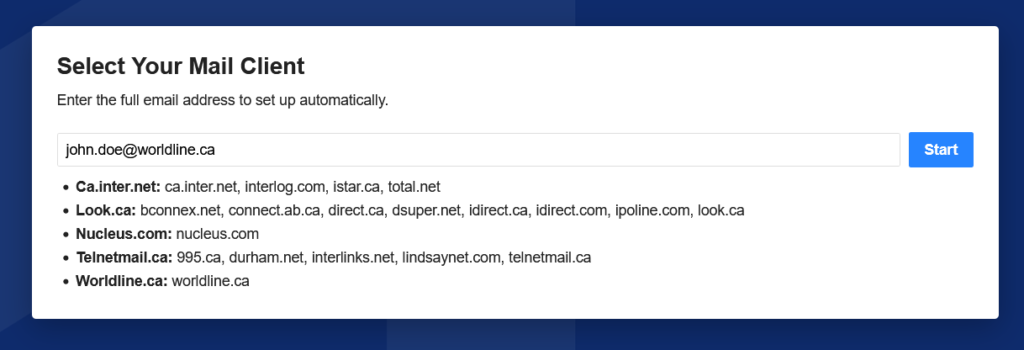
Browse to https://mailwiz.fibernetics.ca/ and start by filling in your Worldline email address and pressing ‘Start’:
Step 2
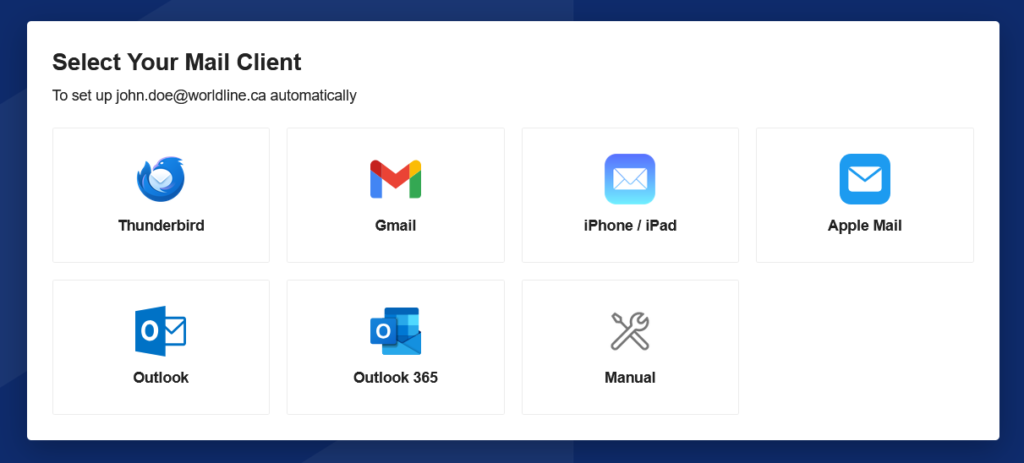
Next, click the icon for the mail client you wish to setup:
Step 3
Follow the instructions for the mail client you select. Some clients require manual entry while others provide a configuration file you can download to your Apple computer or iPhone/iPad.
Still having issues?
Please contact us if you still need help.
Technical & Billing Support

1-855-299-0025

(647) 945-3729

info@worldline.ca
Monday-Friday: 8.00am-9.00pm | Weekend: 9.00am-5.00pm